
PathwayU
PathwayU is a career exploration and planning platform that uses your assessment results and a predictive algorithm to help you explore educational options, identify career pathways, and find work that aligns with your interests, strengths, and sense of purpose.
Use PathwayU to:
- Complete career and purpose assessments
- Explore educational and career pathways
- Find active job postings matched to your assessment results
- Access tools and resources to support your job search and interview preparation
FAQs
- Create an account with PathwayU
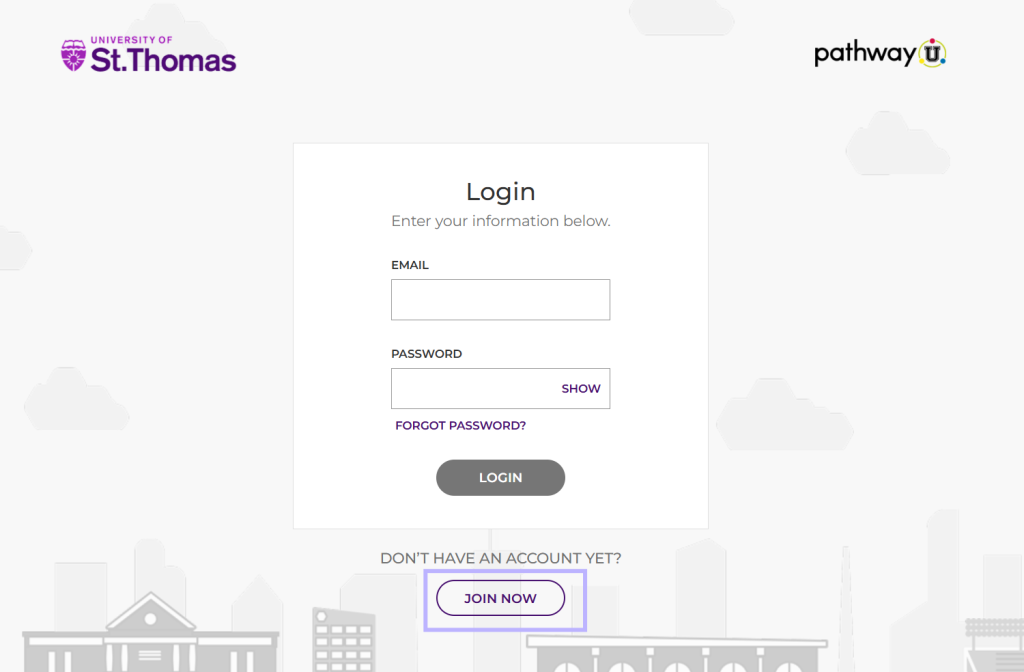
- Scroll down to Don’t have an account?
- Click Join Now
- Enter your name, UST email, and preferred password, then click Find My Calling
- TIP: Use your St. Thomas SSO email and password to keep it simple and the same as your other St. Thomas tools
- Double check your junk mail for the account verification email
- Create an account with PathwayU
- Scroll down to Don’t have an account?
- Click Join Now
- Enter your name, personal email, and preferred password, then click Find My Calling
- Double check your spam/junk mail for the account verification email
- Email career@stthomas.edu to request admin access to PathwayU
- Log into PathwayU
- To begin the assessments, click “Get Started”
- Take each of the four assessments (Interests, Values, Personality, and Workplace Preferences). Completing all four assessment can take 20-25 minutes
- If you have completed some of your assessments, but not all them, simply return to your Assessments page and click on any remaining assessments to finish them
- Once you have completed all four of your assessments, your assessment summary page will allow you to explore your gifts and interests in depth. TIP: Share your results with family, mentors, advisors, or a career coach to understand what you learned about yourself
- Click on Careers to view suggested career paths based on your assessment results
- Use filters to explore majors offered at the University of St. Thomas. Consider exploring education requirements, and more
- Click on the occupation “index cards”, these are quick summaries. When selecting an occupation you can find more information
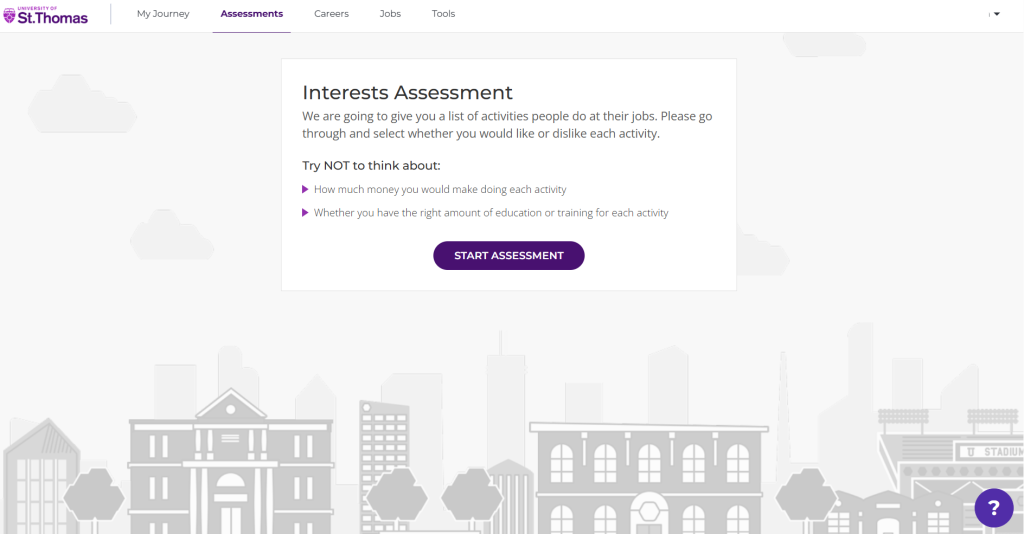
When logged in, you will be promoted to complete assessments. 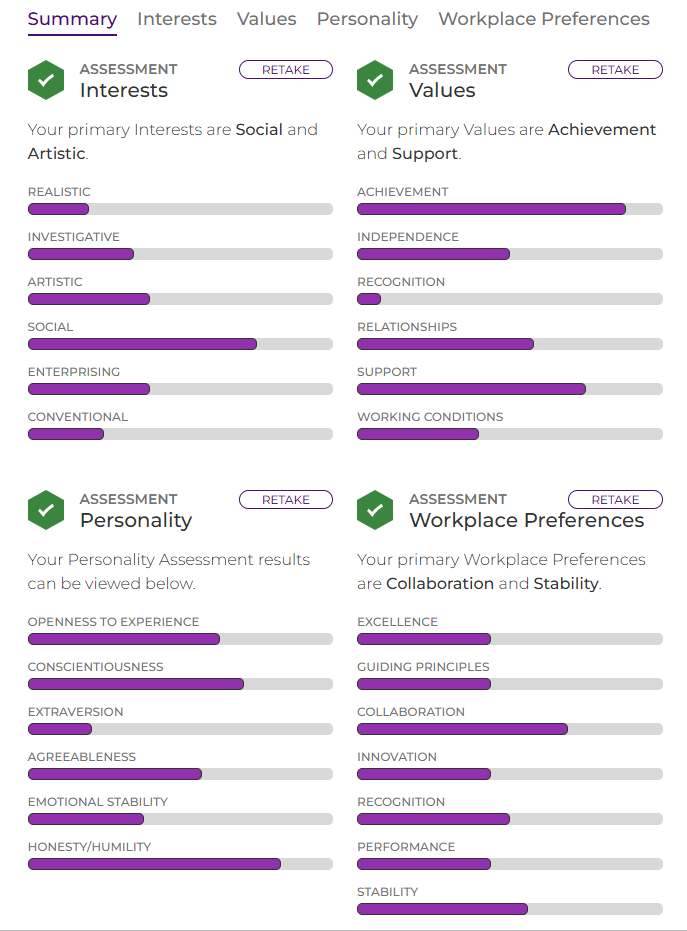
Summary of completed assessment results. 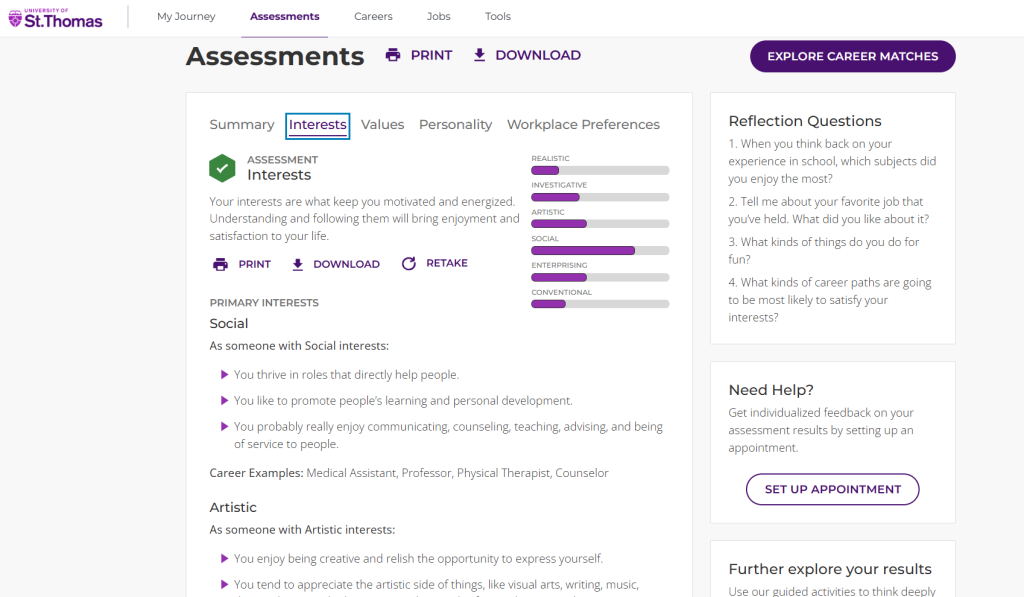
Review in detail the results by selecting the assessment type tab to toggle between all four. When ready to review career matches, click Explore Career Matches. 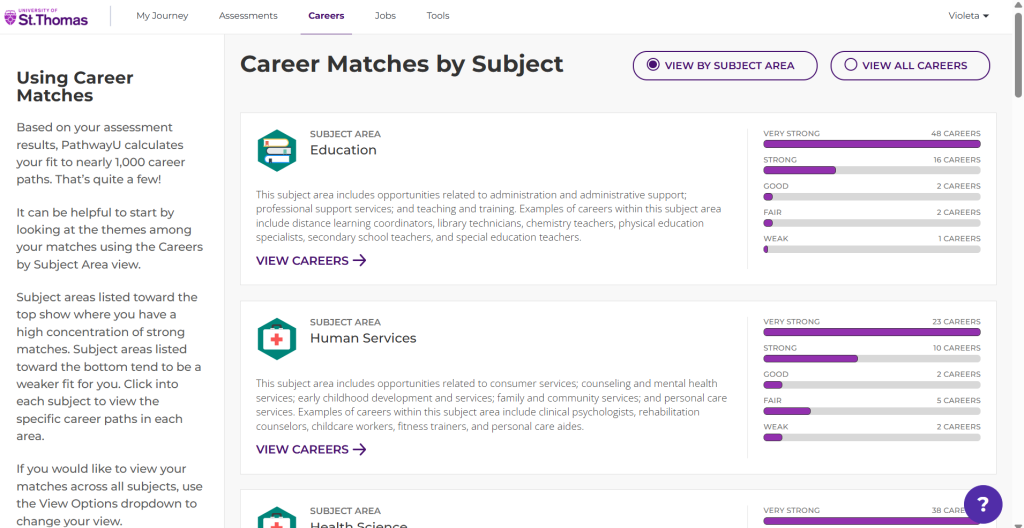
Career Matches are first organized by subject matter. Toggle to All Career on the top right. 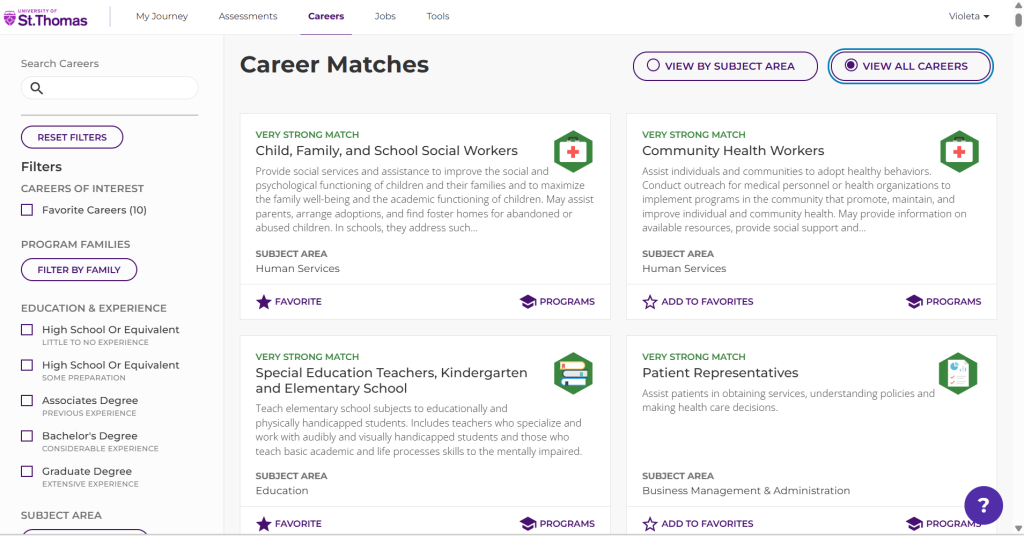
Skim through matches organized by strength alignment with your results. Use the filters on the left-hand side to evaluate further. 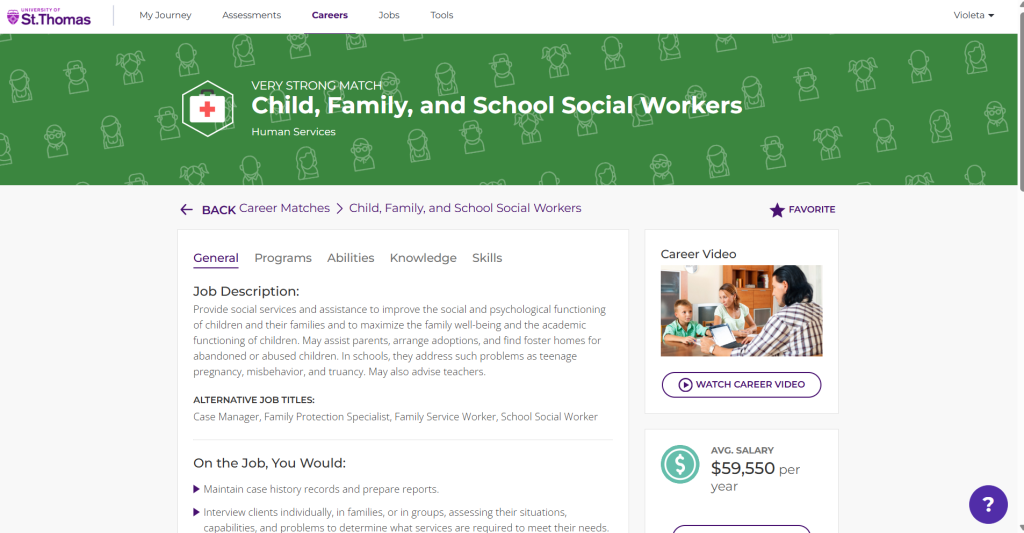
Click on the occupation “cards” to have details like skills, knowledge required, typical education needed, salary information, and job outlook based on state.
PathwayU’s Job Connector uses your assessment results to identify roles that align with your predicted fit, then pulls relevant, active job postings from Indeed and Handshake.
- Log into PathwayU
- Click Jobs on the top navigation bar
- Enter job title, keywords, or company information to begin the search
- Toggle between Handshake and Job Board (Indeed)
Find additional FAQs on the PathwayU 101 site